Silverado cockpit
A CarPlay-first head unit and a custom digital instrument cluster for my 2022 Silverado, styled after CarPlay Ultra and linked over Wi-Fi.
At a glance
- Truck
- 2022 Chevy Silverado 1500
- Head unit
- Portrait Android 14 touchscreen running my own home screen, with wired CarPlay
- Cluster
- Aftermarket 1920×720 digital cluster running my own gauges. Waiting on hardware.
- Gauge themes
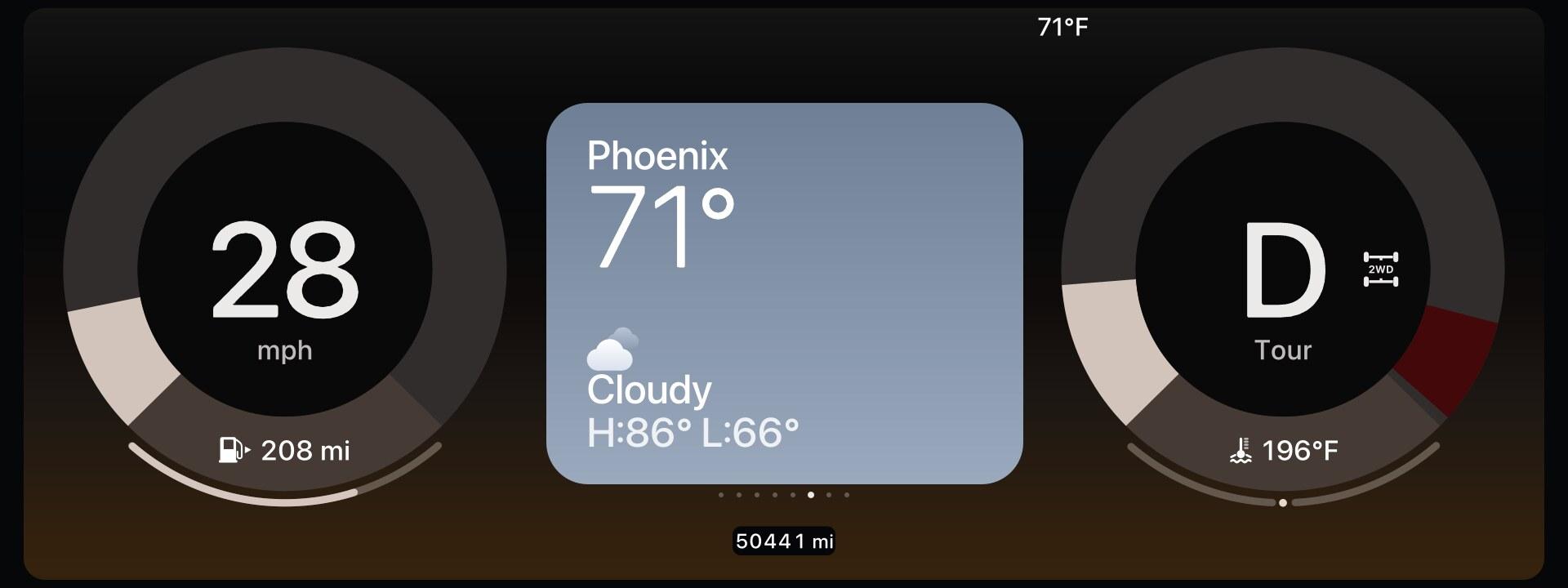
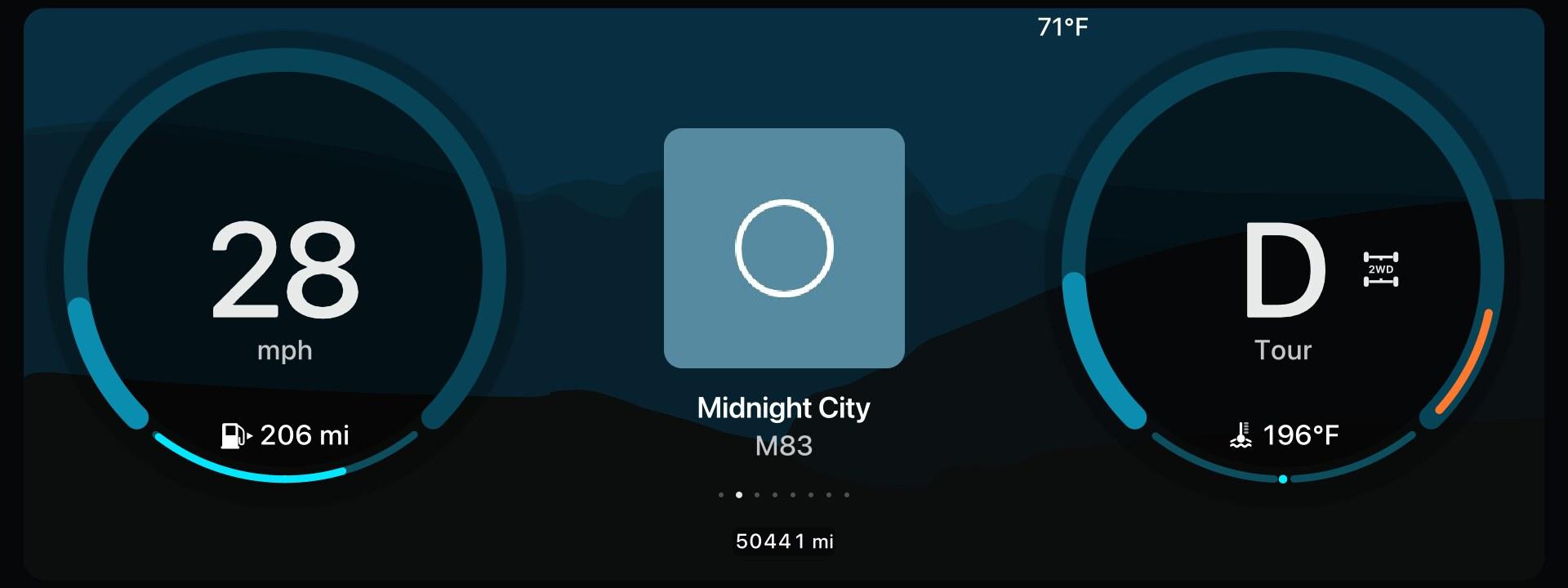
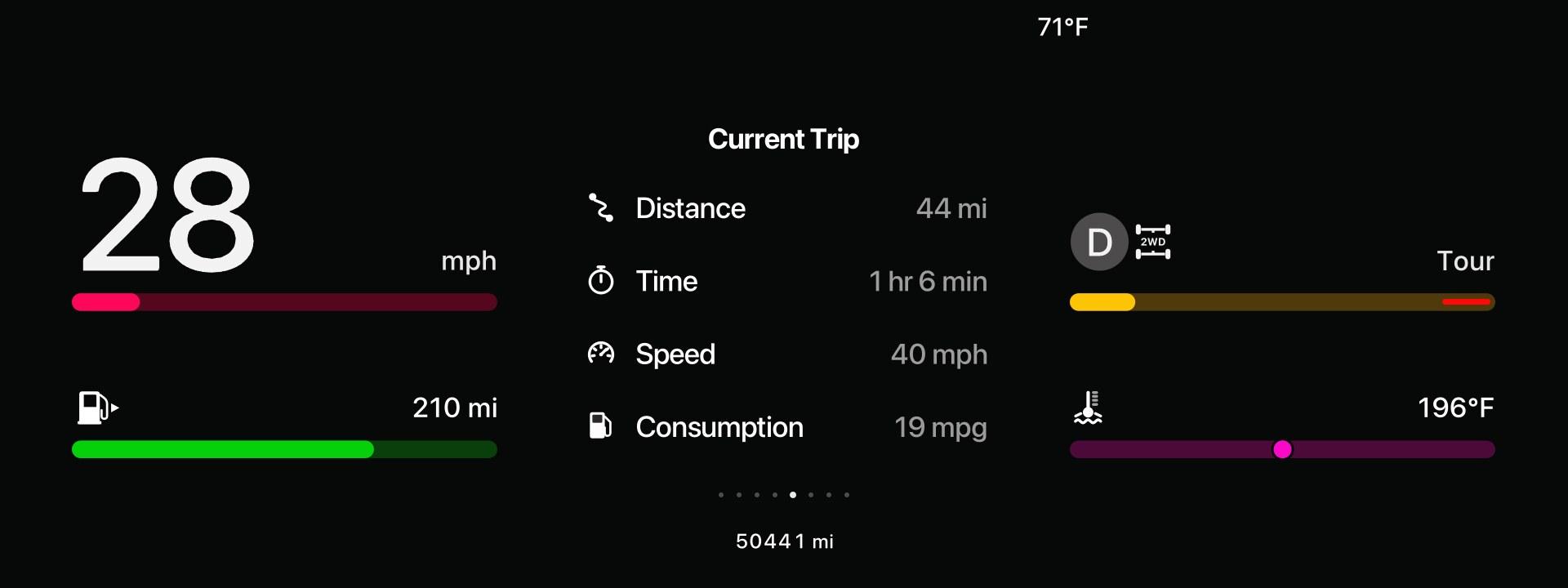
- Sport, Blue, Cream, Green, Bars and Map
- Talks to the truck
- CAN bus for climate and live data, plus an OBD-II adapter over Bluetooth
- Link
- corlink, my own Wi-Fi protocol between the two screens
- Built with
- Kotlin and Jetpack Compose, Qt/QML, C, Python
- Status
- In progress
- Started
- Jul 2026
About
The truck's two screens are getting replaced: the touchscreen in the middle of the dash, and the gauges behind the steering wheel. The goal is the look of Apple's CarPlay Ultra, where the gauges and the center screen feel like one system, built from aftermarket hardware and my own software.
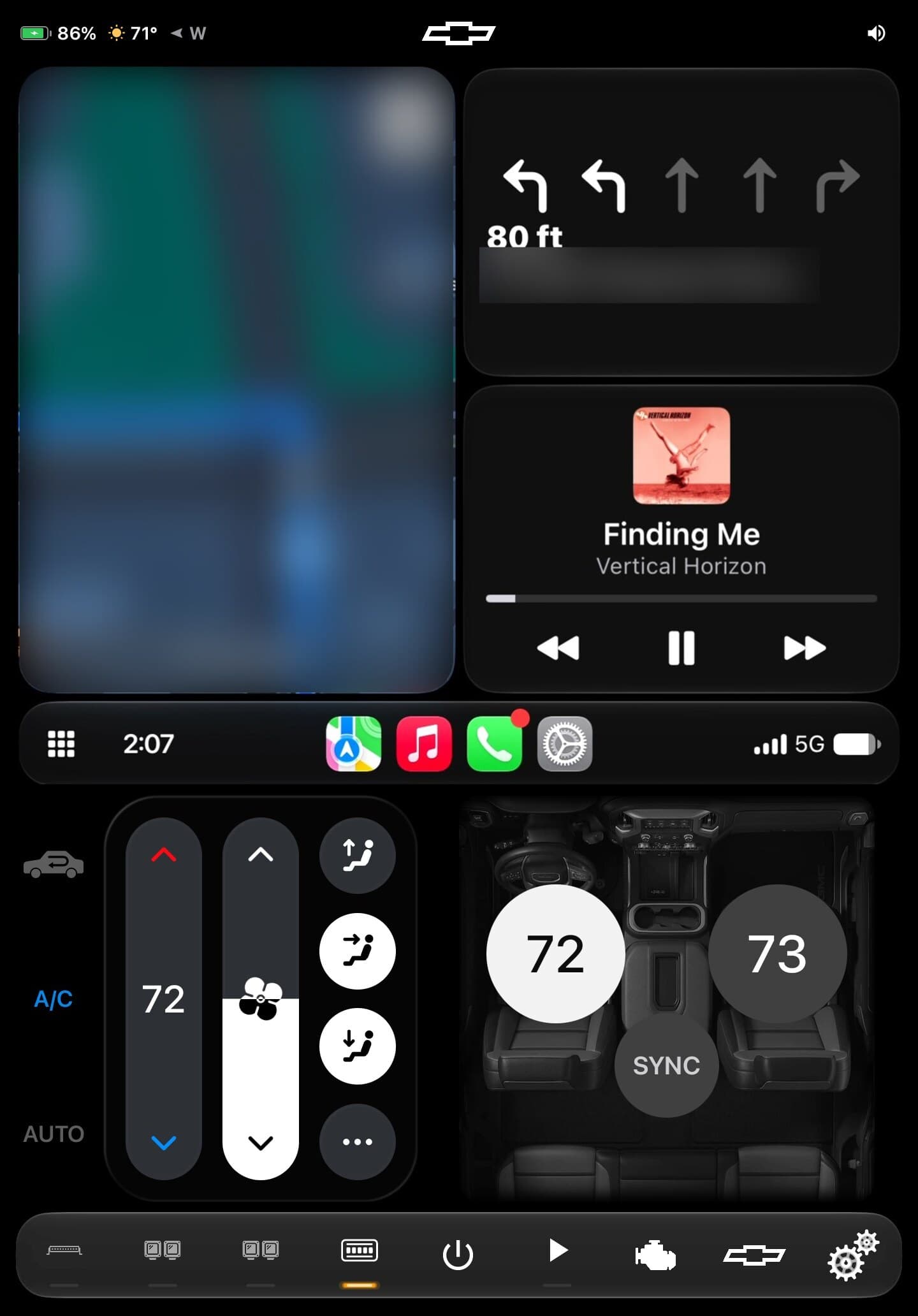
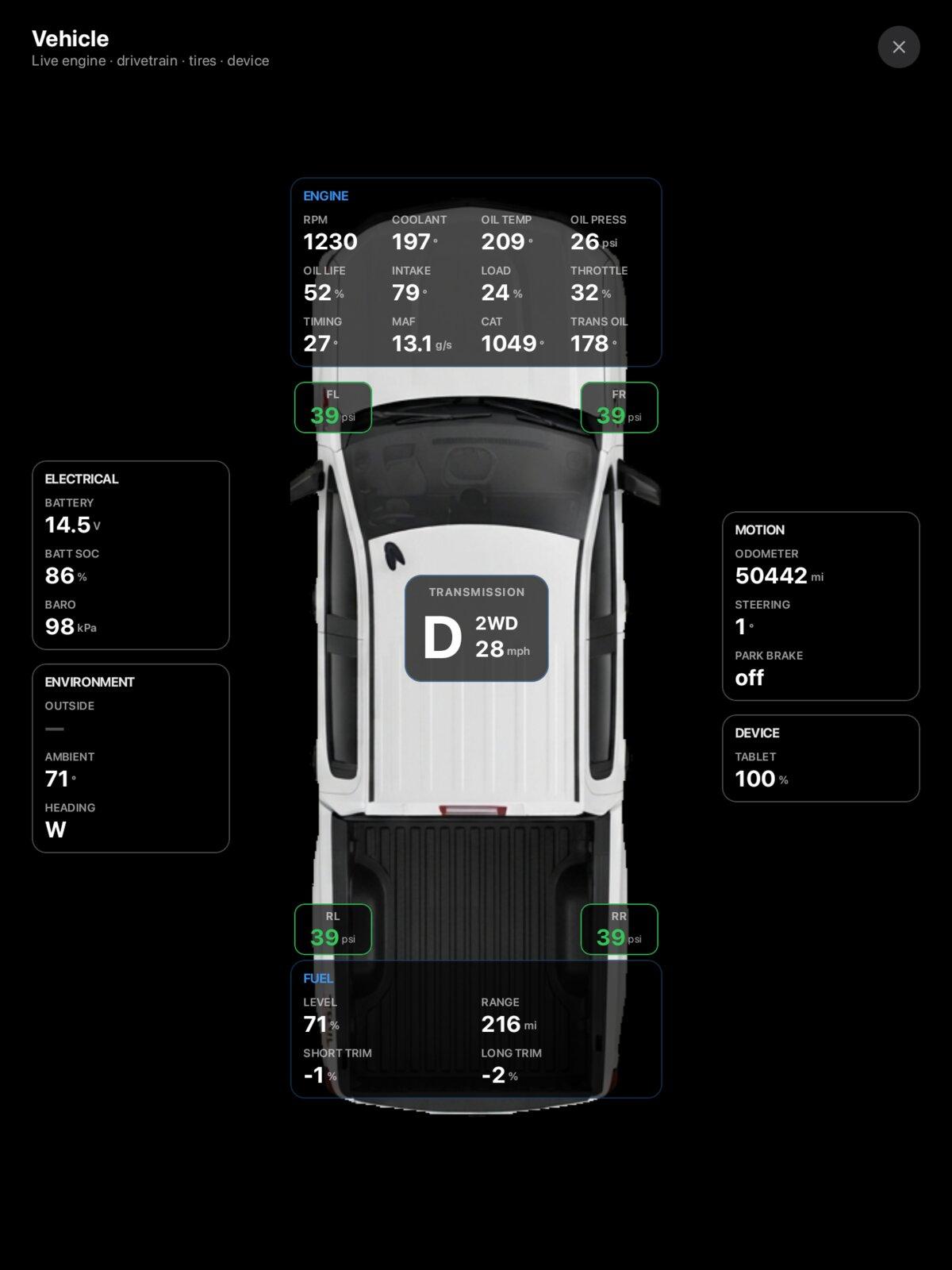
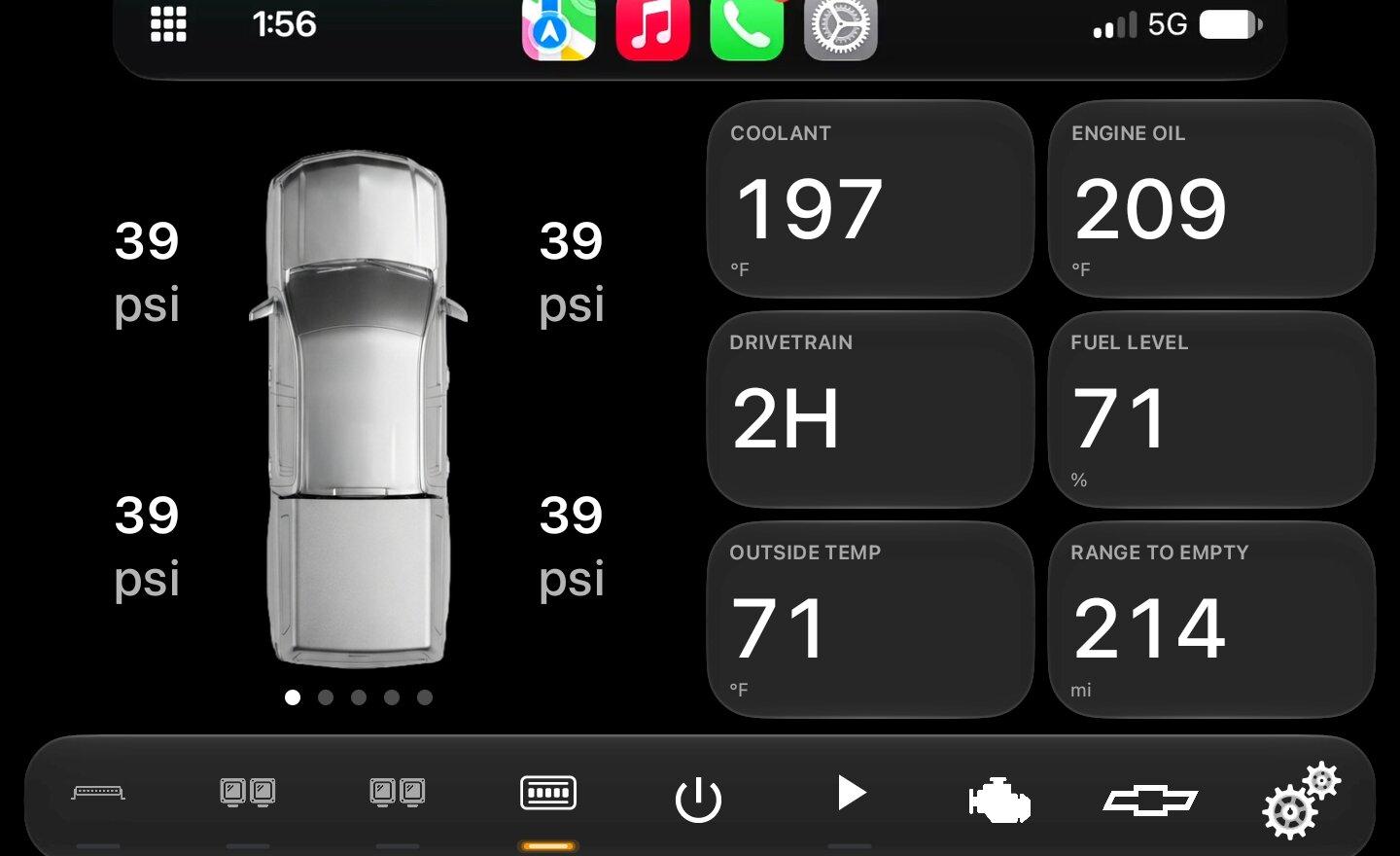
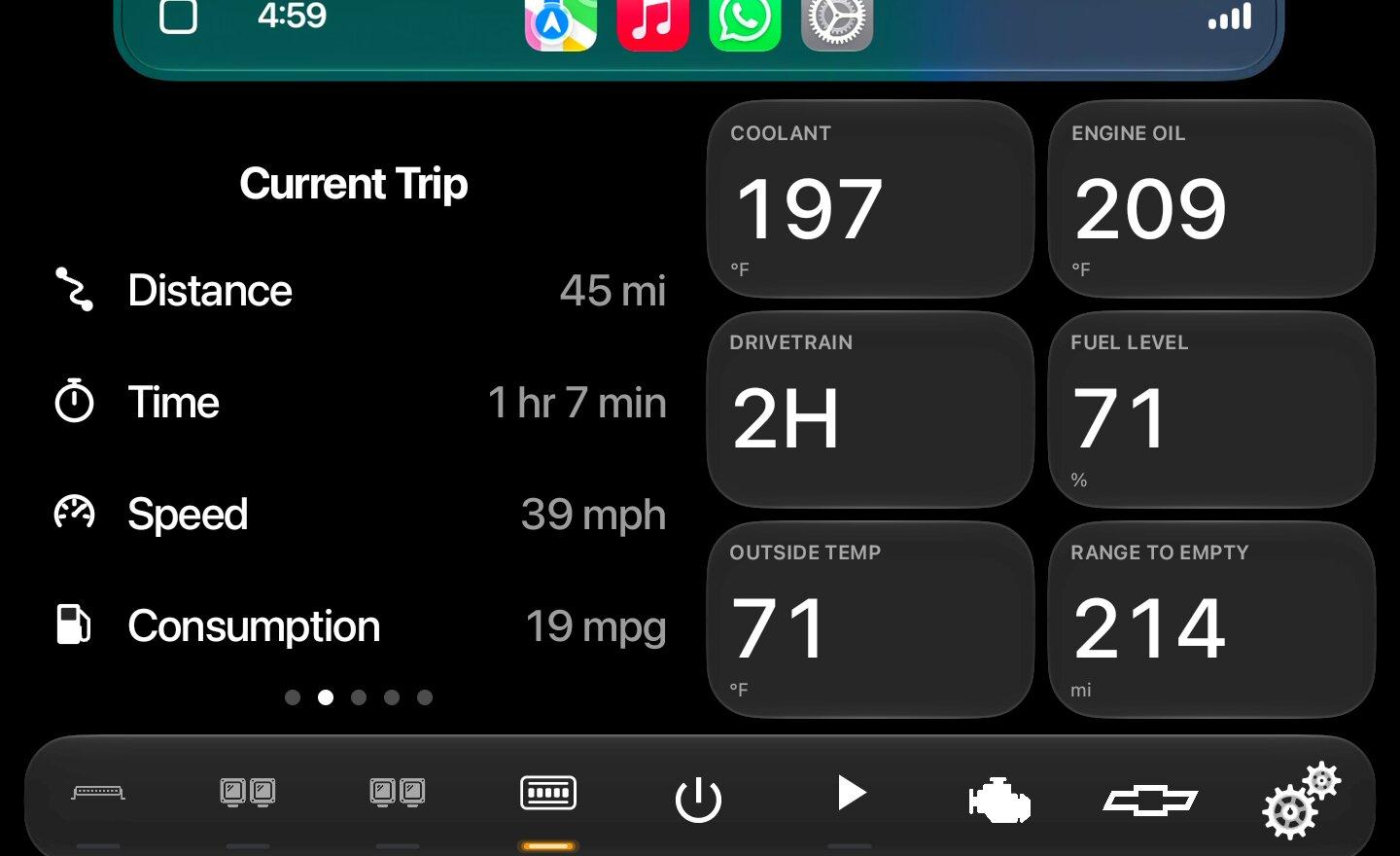
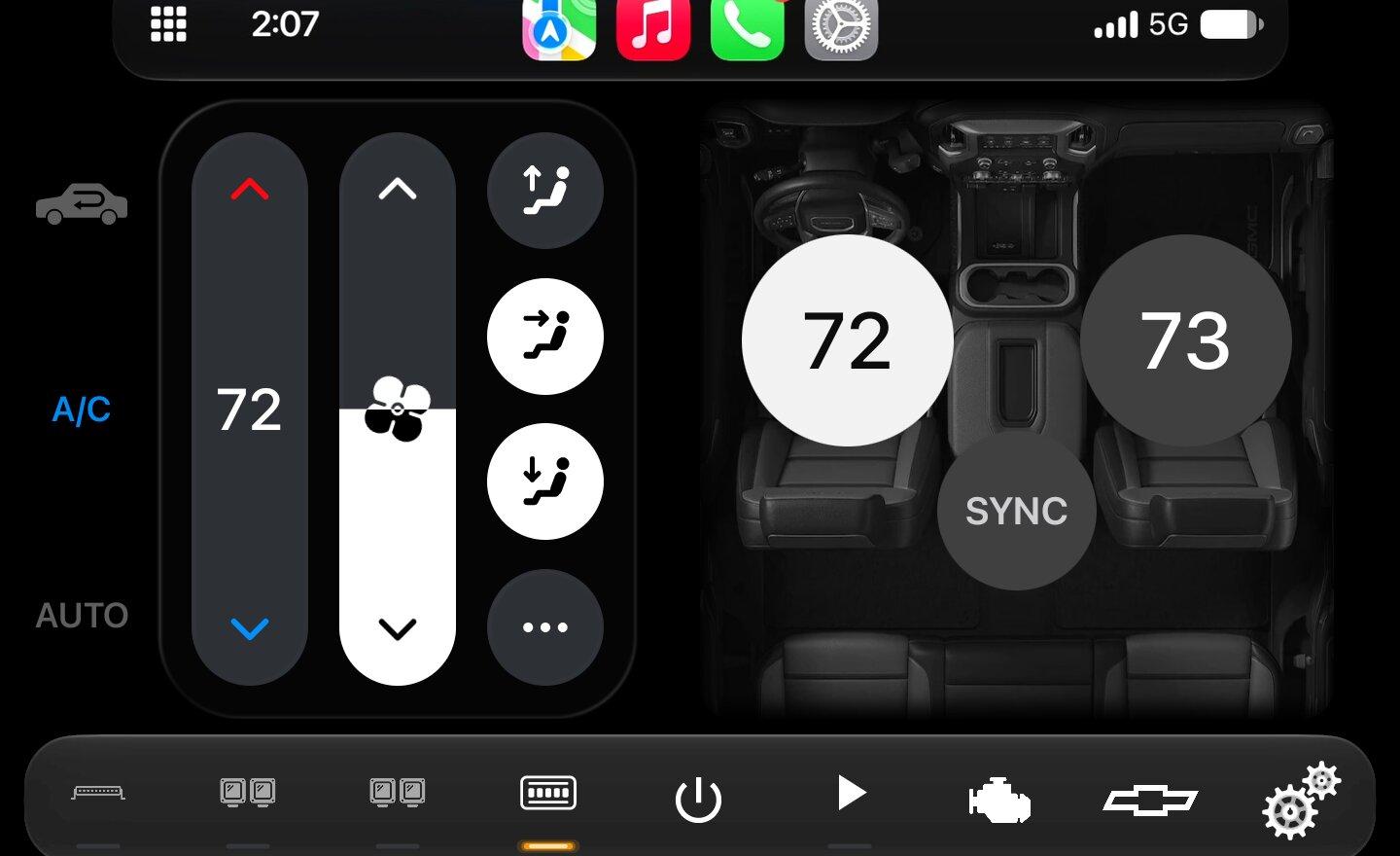
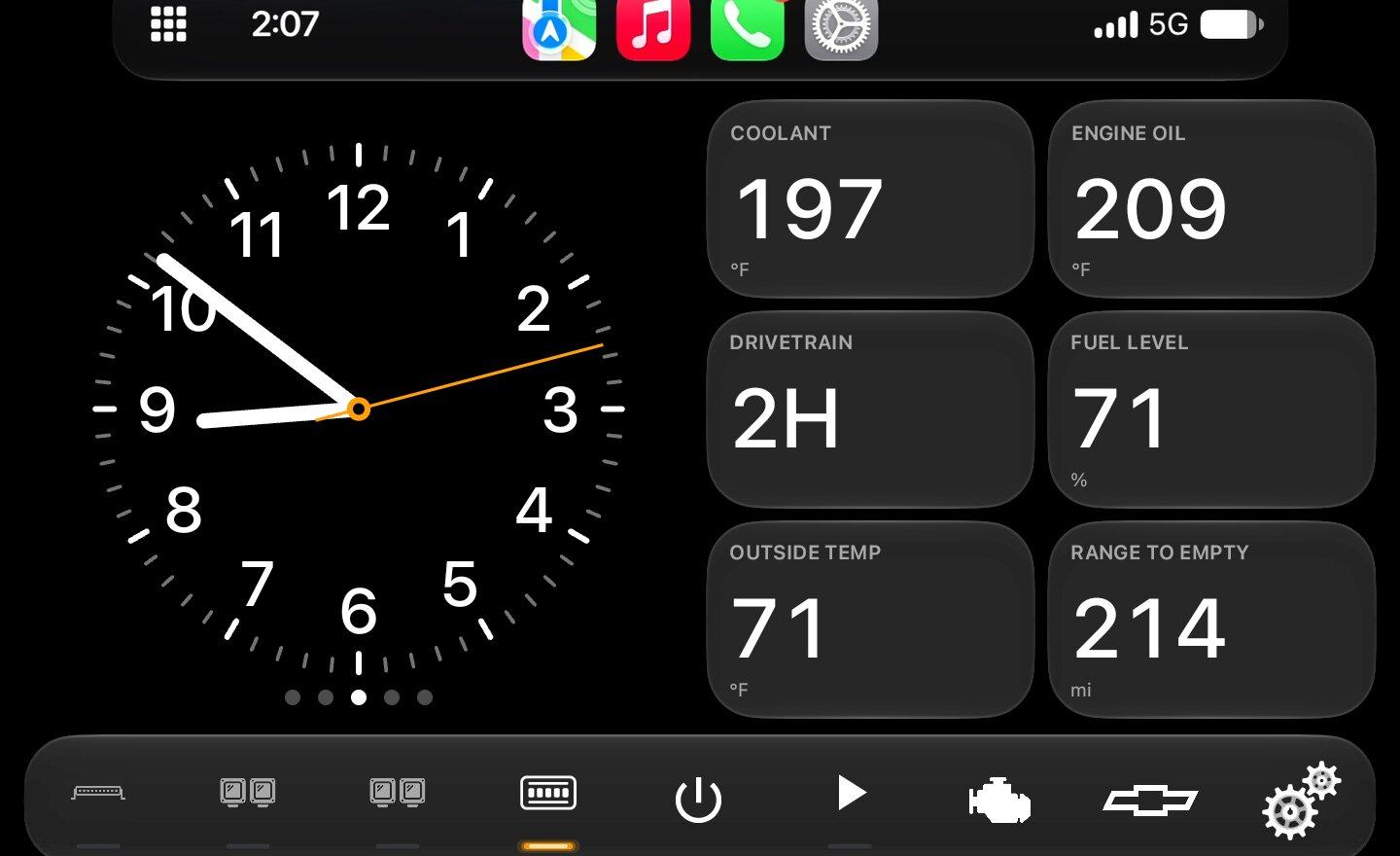
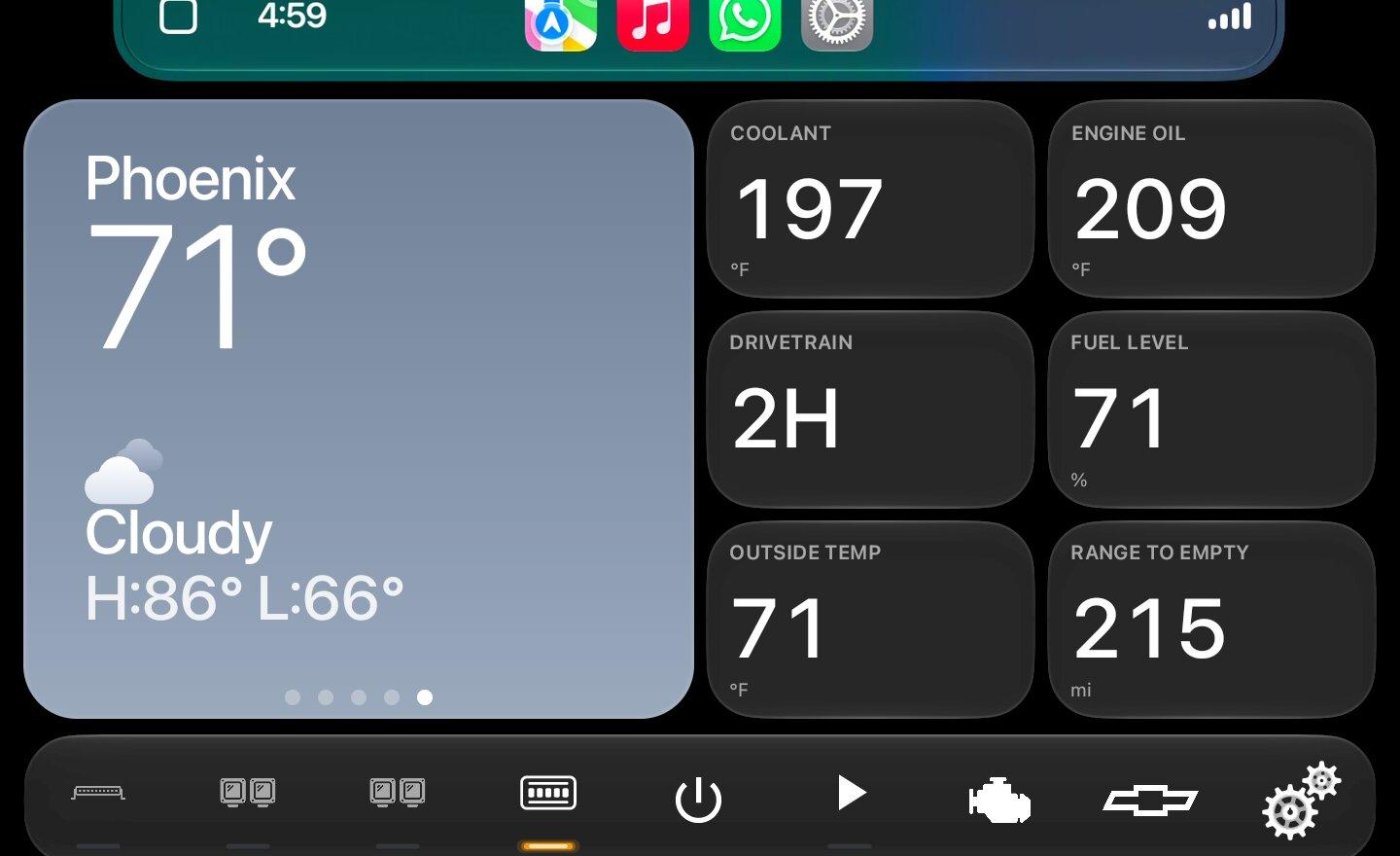
The head unit has been in the truck since July. It runs my own home screen, which keeps CarPlay on display and puts the truck's controls around it: climate, off-road lights, live engine and tire readouts, and the factory radio's own screen, touch and all. CarPlay comes in through a wired adapter with full audio, Siri and calls. Climate control works by sending the truck's own air-control messages over the CAN bus, and vehicle data comes from three sources at once, including a Bluetooth OBD-II adapter. There's also a top-down truck view, weather, a compass and a battery watchdog for camping.
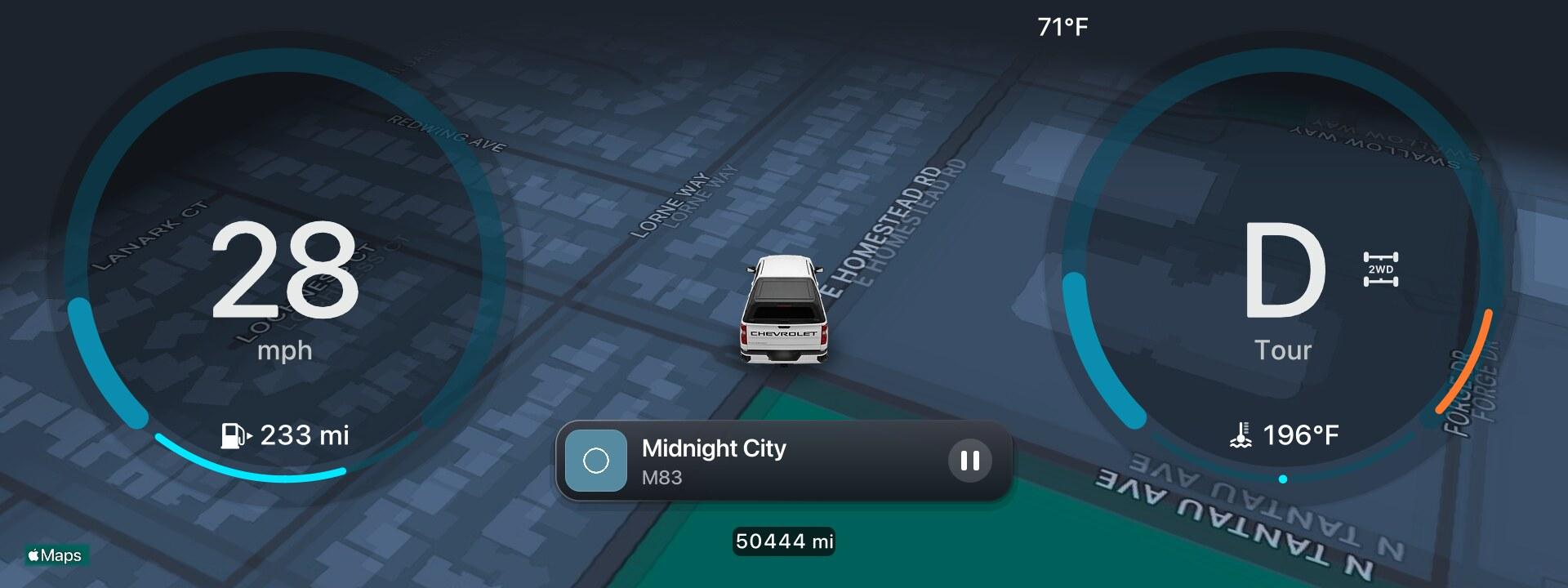
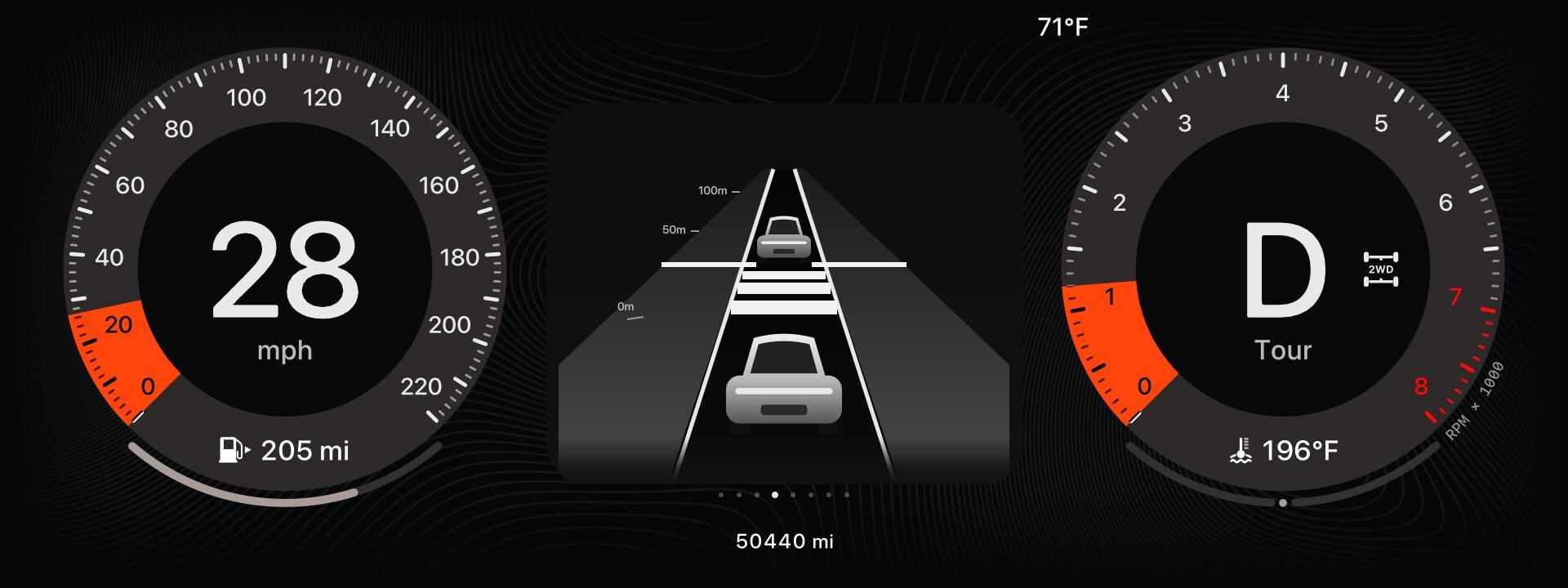
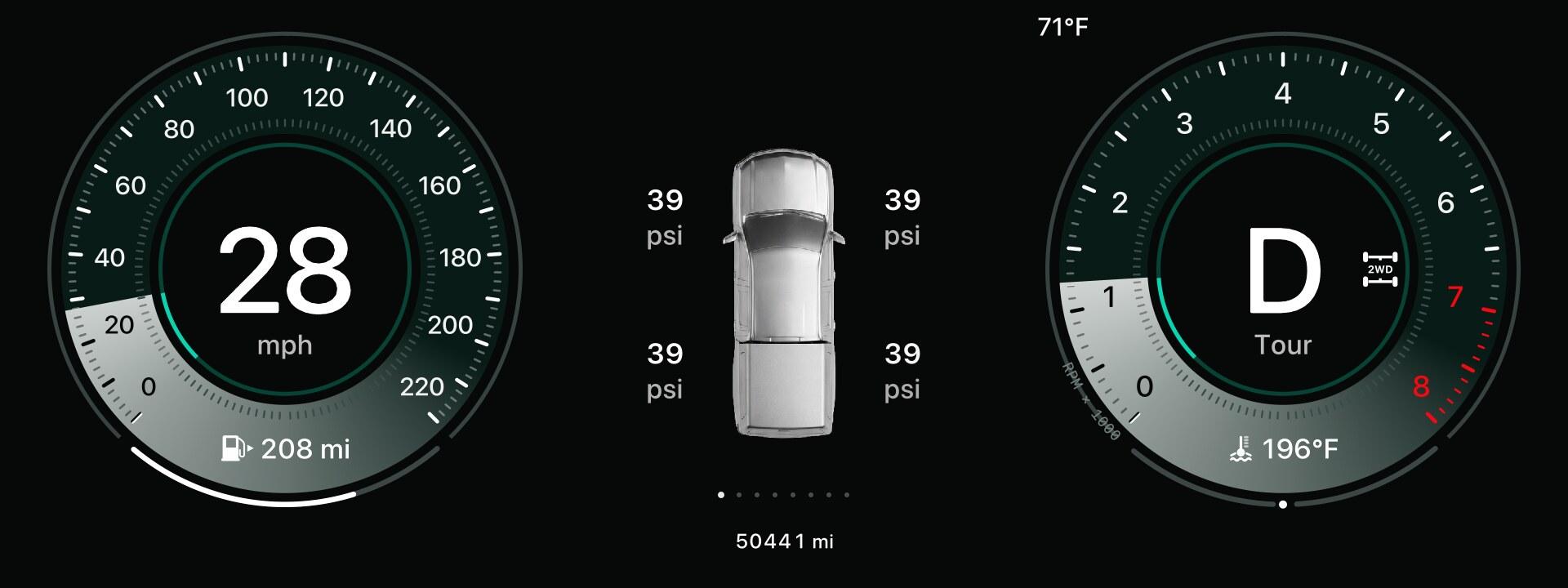
The cluster is an aftermarket 1920×720 digital unit, and it hasn't arrived yet. Its software is ready: custom gauges in six themes, including one where the whole screen is a live map with the truck drawn on the road. The center pages show tire pressure, the song playing, turn-by-turn directions, trip data and weather. It installs from a USB stick, and if my software ever crashes, the unit falls back to the original on its own.
The two screens talk over Wi-Fi using corlink, a small protocol I wrote. The cluster's buttons can skip tracks on the head unit, and the head unit sends the cluster music, navigation, weather and map pictures.
A truck on a desk. Since the cluster isn't here yet, I built a simulator that drives a virtual truck and feeds both screens through the same interfaces the real hardware uses, plus a replica of the cluster's software for testing. About 1,500 automated tests cover the app, the link and the cluster.
The screens shown here come from my simulator, with test data.
What's next: when the cluster arrives, back it up, capture the real signals from the truck, trial-install the new gauges with the automatic fallback, and check performance on the real hardware.
Gallery
Build log
CarPlay directions on the cluster, and truck Wi-Fi
The cluster now joins the truck's Wi-Fi as an ordinary client instead of hosting its own network, so nothing in the cab runs an access point. The head unit watches its CarPlay adapter and retries on its own when the adapter is missing or stuck, and CarPlay's turn-by-turn directions now show on the cluster with turn arrows. The cluster's warning lights are drawn the way GM draws them, in their usual places, a setting puts the speed dial on the left or right, and the map makes far fewer requests while the truck is parked.
Live maps and weather on the cluster
The cluster gained a weather page and a live map, plus a Map theme where the whole screen is the road. The head unit got a nine-button dock and per-light colors for the off-road lights.
Ready for the cluster to arrive
Prepared trial and diagnostic USB sticks for day one with the new cluster, and restyled the head unit's climate screen.
New cluster software, with a safety net
Rebuilt the cluster's gauges to run inside the unit's own graphics runtime, rewrote the Wi-Fi link between the screens, and built an installer that falls back to the original software if anything goes wrong. A replica of the cluster now runs on my desk for testing.
Working in the truck
Confirmed in the truck: CarPlay with audio through the new head unit, and the factory radio's screen shown inside my app with working touch.
A truck on a desk
Started a simulator that drives a virtual truck, with climate, media and navigation, and feeds both screens through the same interfaces the real hardware uses.
Cluster gauges render
The first gauge design drawing on the 1920×720 cluster layout.
The launcher begins
First commit of the head-unit launcher that replaces the stock Android home screen.
Let's talk.
Tell me what you're building. I read every message myself and usually reply within one business day.